Everything a manager needs, in the order the day needs it.
Four parts and one sign-in. Each part feeds the next: the forecast sets the pars, the pars write the order, and the invoices show what prices did.
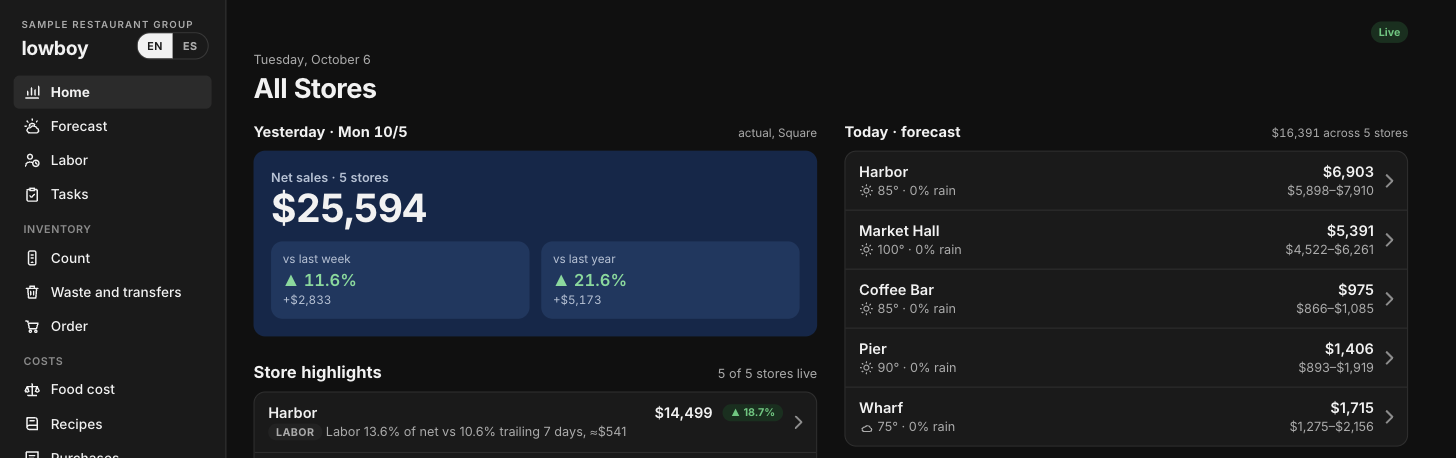
Know the store before the doors open.
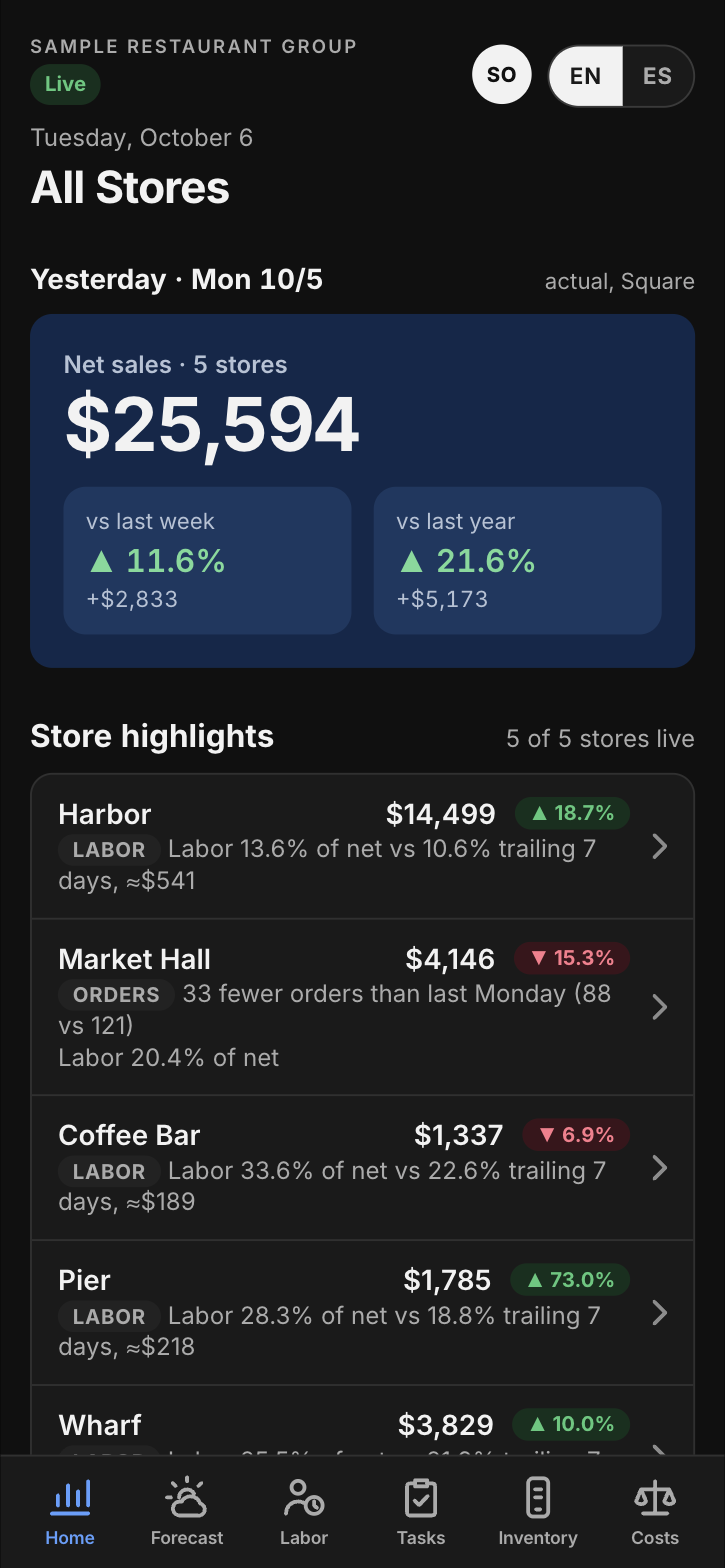
Daily flash
Yesterday's net sales for every store, against last week and last year.
Labor
Labor as a share of sales by day, week and store, with hours needed against hours scheduled for each hour of the day.
Overtime and meal premiums
Who went over and who missed a break, by person, the morning after.
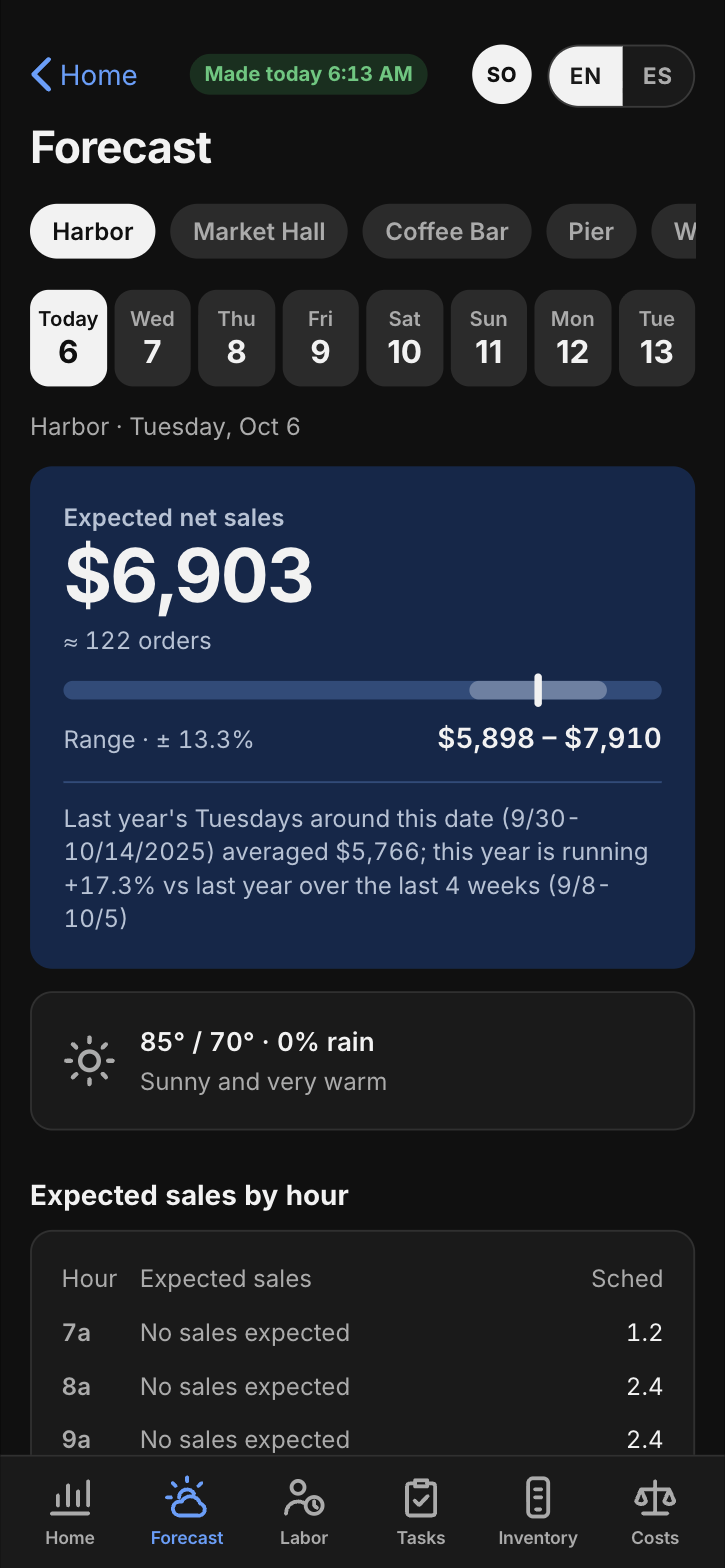
Forecast
Seven days of expected sales by store and hour, with the weather built in and a score for how close it has been landing.
End of day
Each store's closing notes in one place: repairs, 86'd items and short deliveries.
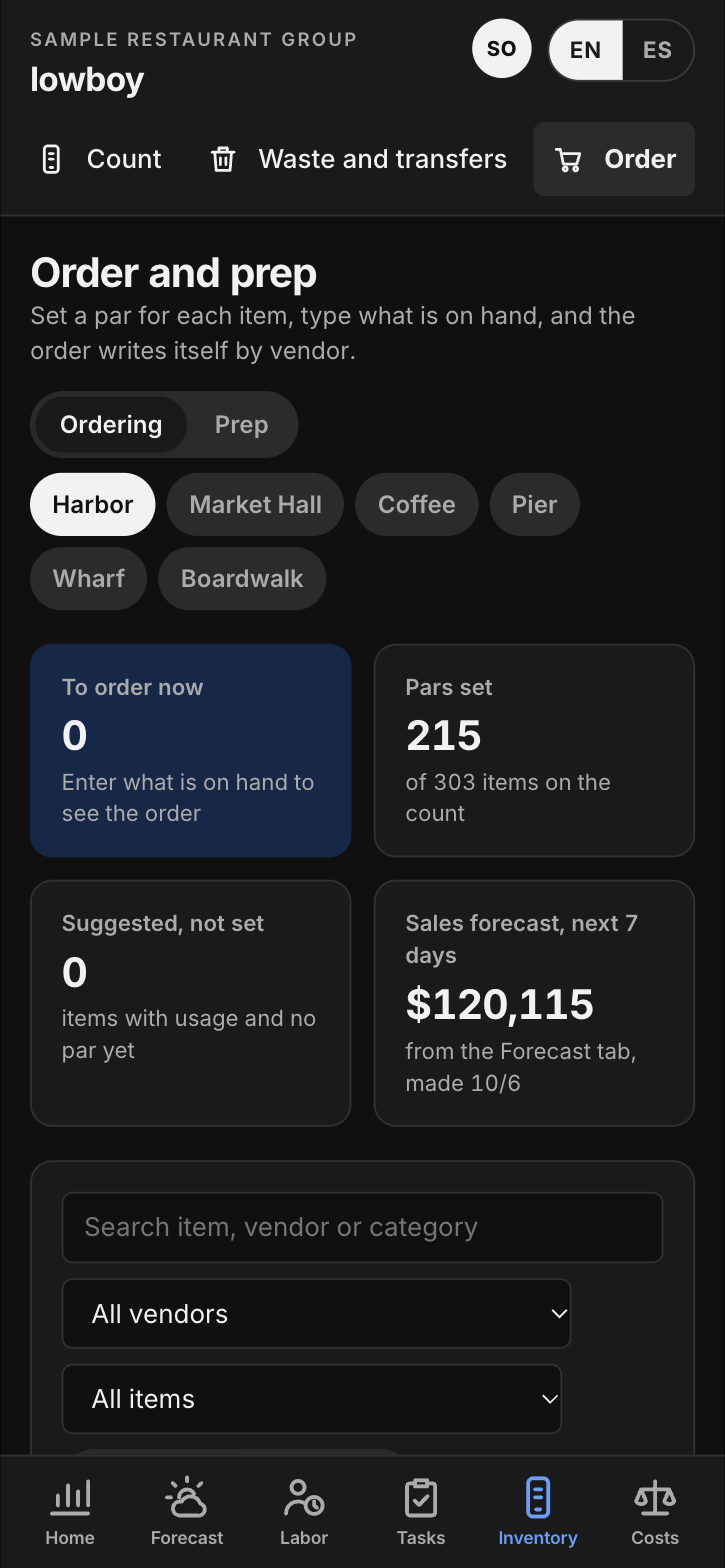
Count it. Par it. Order it.
Counts that take minutes
A full count when you need one, or a short weekly count of the 15 to 25 items that move the number.
Pars and prep
A par for every item, and prep amounts worked out from the forecast and what is already on hand.
Orders by vendor
One order per vendor, sized to last until the next delivery and ready to copy to your rep.
Usage, variance and waste
What the recipes say you used against what the count says is gone, with a waste log beside it.
Watch every price. Know every plate.
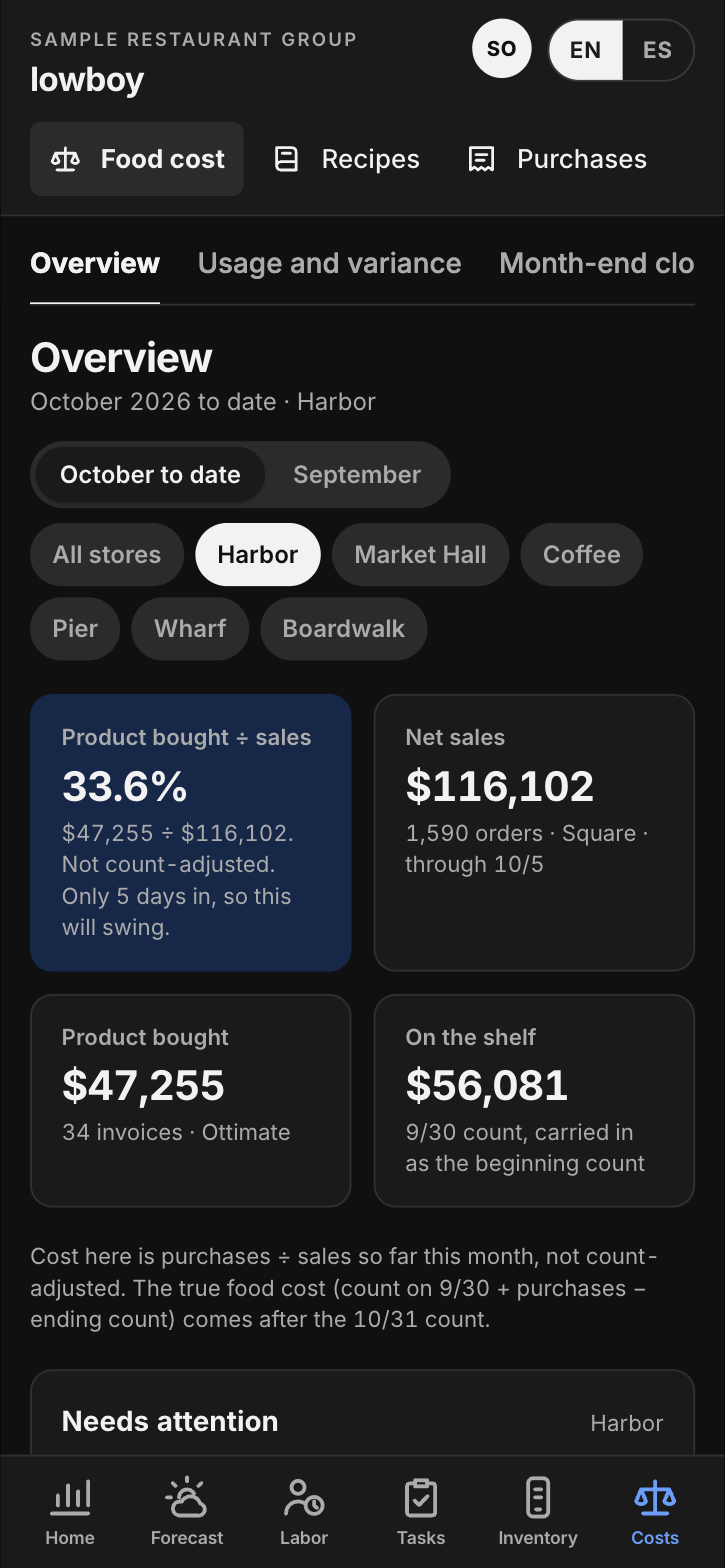
Food cost
Purchases, sales and inventory on the shelf, month to date, store against store.
Recipes and plate cost
Cost, price, margin and units sold for every recipe. Costs follow invoice prices, so a plate over target shows up on its own.
Invoices
No invoice tool? Snap a photo or upload a scan. lowboy reads every line, matches it to your items, and checks the totals and for duplicates.
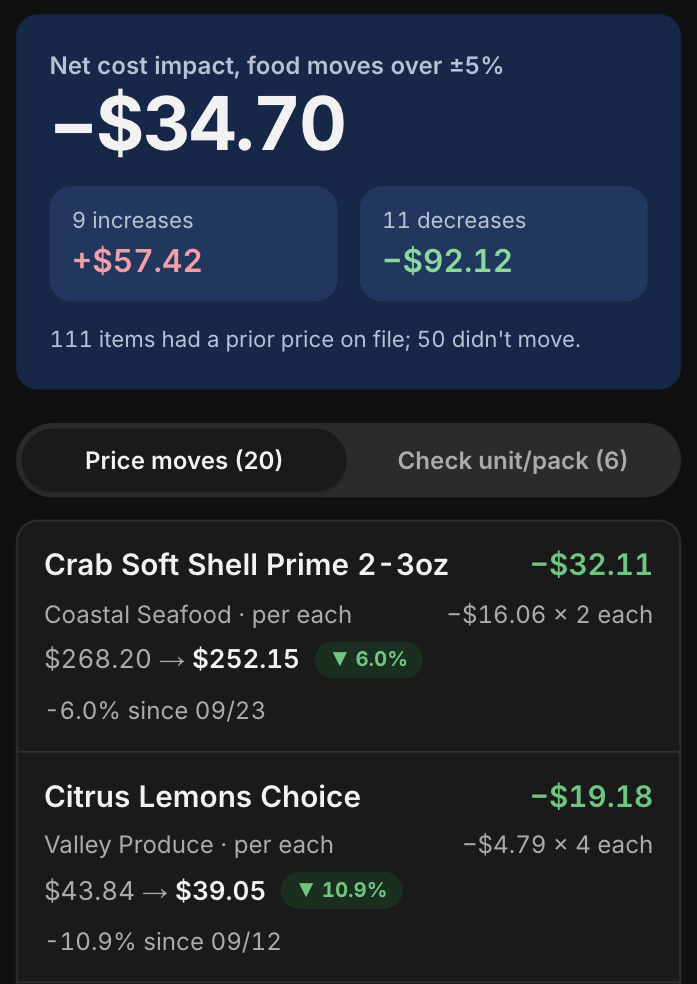
Price watch
Every price move over 5% since the last invoice, with the weekly dollar impact for that store.
Agreed prices and credits
Lines billed above the price you agreed get flagged, the credit request is drafted, and every store keeps a running total of money recovered.
The lists, done and proven.
Lists by station
Opening and closing lists for each station. Change one on your phone and the store sees it right away.
Proof that fits the job
A check, a yes or no with a note, a number such as a temperature, or a photo.
A shared tablet on the line
The team signs in with a PIN and sees its lists, and nothing else.
Make it a task
Any flag in lowboy becomes a one-off task that stays on the store's screen until someone finishes it.
Your systems stay. lowboy reads them.
Nothing to rip out. lowboy reads sales, invoices and labor from the systems you already run, and shows each person their own store, at their own level.
See it on your own stores.
Thirty minutes with the operator who built it. Made for restaurant groups with 3 to 20 locations.
Book a walkthrough